Live Wallpapers & 3D Charging
- 4.5
- Rating
- 1.00M
- Installs
- Free
- Price

 Analysis by App-foxy
If you want your phone to feel less static every time you unlock it, Live Wallpapers & 3D Charging is the kind of personalization app that immediately makes sense. I tested it as a way to change the look of an Android device rather than as a tool for productivity, and my first impression was clear: its appeal depends almost entirely on how much you enjoy motion, visual effects, and a more dramatic charging screen.
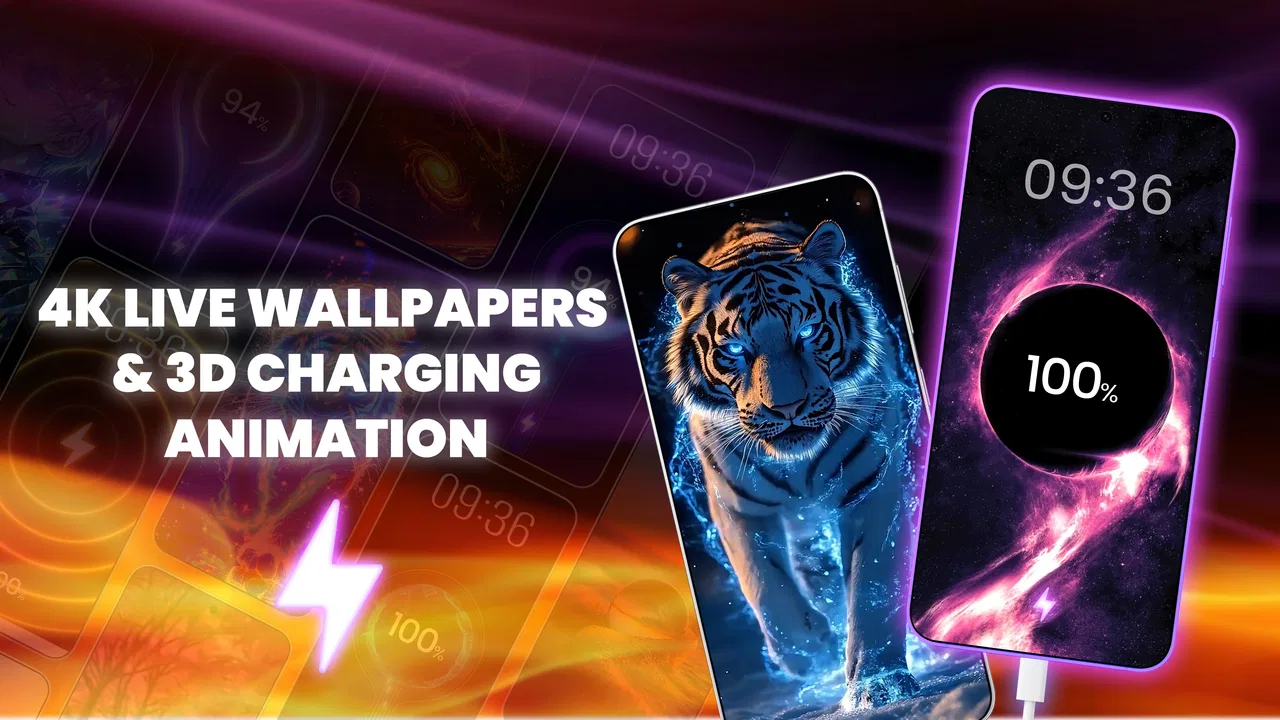
The app comes from Creative Apps Studio LTD and sits in the personalization category. It is free to install, carries an Everyone age rating, and is available for devices running Android 8.0 or later. Its main focus is simple: animated wallpapers with a high-resolution look, plus charging animations designed to make the moment of connecting your phone feel more noticeable.
That simplicity is both its strength and its limitation. I would recommend it to someone who sees a phone background as part of their daily style and wants something more expressive than a normal image. I would be more cautious with it for anyone who prefers a quiet home screen, wants maximum battery efficiency, or expects the depth of control found in a dedicated launcher or a carefully curated static-wallpaper collection.
You May Also Like

 Blood Strike: 2.5 Anniversary
Blood Strike’s Loadouts Turn Every Drop Into a Tactical Gamble
A close look at Blood Strike’s custom loadouts: how fast access to signature weapons reshapes its battle royale rhythm, rewards preparation, and narrows the gap between fights.

 Pandora - Music & Podcasts
Pandora’s Music Is Easy to Start, but Harder to Recover
Pandora’s strength is its low-effort path from a seed to a station. Its weak spot is how much confidence it asks you to place in connection, setup, and quiet recovery.

 8 Ball Pool
 Is Built on Rivalries, Rematches, and Routine
A close look at the rivalries, rematches, shared routines, and unanswered safety questions that turn a quick pool match into a persistent mobile community.

 Samsung Music
’s Quiet Strength Is Playing What You Already Own
Its reach comes less from spectacle than from dependable access to a personal library. That simplicity is both the app’s strongest retention engine and its ceiling.

 AccuWeather: Weather Radar
AccuWeather Review: A Quick, Clear Forecast for Everyday Decisions
For everyday plans, the best forecast is the one you can understand quickly. AccuWeather makes rain timing, radar, and local conditions easy to act on, with a few trade-offs.

 Hill Climb Racing
Why Hill Climb Racing Still Turns Crashes Into One More Run
A tiny car, a bumpy hill and one more upgrade: Hill Climb Racing keeps resurfacing because its simple chaos makes every near-miss feel personal.
More From Our News Desk



What I considered before keeping it installed
When I judge a live wallpaper app, I do not start with the most eye-catching preview. I first ask whether the background remains pleasant after several hours, whether icons and text are still easy to read, and whether the animation feels like a useful touch rather than constant visual noise. A wallpaper can look impressive for a few seconds and still be tiring as an everyday choice.
I also look at the charging effect separately. A charging animation is not the same thing as a wallpaper: it appears at a particular moment and can add personality to a routine action, but it should not make connecting the phone feel slower or more complicated. The best experience is one where the effect is easy to enjoy and equally easy to ignore when I am in a hurry.
Another decision point is variety. With this type of app, the practical value comes from having enough visual styles to match different moods, phone themes, and occasions. A bright animated design may work well on a personal device, while a calmer option is better for a work phone. I paid attention to whether the concept could serve both situations instead of assuming that every user wants the most intense design available.
The app has reached more than a million installs and holds a 4.5 average from roughly 7.8 thousand ratings. Those figures suggest that the concept has found a sizeable audience, but they should not replace personal testing. Live wallpapers are unusually subjective: one person sees an attractive moving background, while another sees unnecessary activity behind every icon.
The first setup is best treated as a style experiment
My advice is not to choose the first dramatic wallpaper and stop there. I would try a few different visual moods, then leave each one active long enough to judge it during ordinary use. Look at the home screen in daylight, in a dim room, and while opening apps. Bright movement can compete with notification badges or make small labels harder to notice, especially when the wallpaper has a busy center.
A useful workflow is to begin with a design that leaves open space behind the clock and app icons. If that feels too plain, move toward stronger depth or more active motion. This approach saves time because it treats readability as a requirement rather than an afterthought. The most attractive preview is not always the most comfortable background for repeated daily use.
I would also keep a calmer option in mind for battery-saving days or situations where the phone needs to look restrained. Switching away from a live background is not a failure of the app; it is part of using personalization intelligently. A moving design can be perfect when you want a fresh look and unnecessary when the phone is already busy with navigation, video, or gaming.
Where the charging animation earns its place
The charging side is most useful for people who connect their phone frequently and enjoy small visual cues. I can see it working well on a bedside table, where the animation gives a quick confirmation that the cable connection has been recognized. It can also make a personal device feel more distinctive when friends or family see it charging.
There is a practical distinction here: a charging animation is decorative feedback, not a replacement for checking the battery indicator. I would still rely on the system’s normal battery information when I need an exact status. The effect is better understood as a visual layer over a familiar action, and that makes it enjoyable without giving it more importance than it deserves.
If you charge in short bursts during the day, the feature may feel more valuable because you see it often. If you charge once overnight and rarely watch the screen, the wallpaper portion will probably matter more to you. That difference is worth considering before spending time customizing the charging presentation.
Where Live Wallpapers & 3D Charging stands out
The clearest strength is the combination of two related forms of customization. Many people think about wallpapers and charging screens as separate details, but using both lets the phone feel more coordinated. A dramatic animated background paired with a matching charging effect can make the interface seem deliberately styled instead of assembled from unrelated pieces.
The emphasis on 4K-style visual presentation and three-dimensional or four-dimensional charging animation gives the app a more theatrical identity than a basic wallpaper picker. I would choose it when I want the phone to make an impression, especially on a large, bright display where motion and depth have room to show themselves.
It is also approachable for users who do not want to build a complete theme manually. A launcher-based setup can involve icon packs, widgets, grids, gestures, and several rounds of adjustment. This app offers a narrower path: change the background, add a charging effect, and stop when the phone looks better to you. That limited scope is convenient for casual personalization.
The app is free to download, which makes trying it a low-commitment decision. There are in-app purchases ranging from $2.99 to $19.99 per item, so I would explore the free experience before deciding whether any paid content is worth it. The important question is not simply whether a design is attractive, but whether it is distinctive enough that I would keep using it after the novelty fades.
Three details that improve the everyday experience
First, I would judge a wallpaper with the phone’s actual icon arrangement, not an empty preview. A design that looks balanced in isolation can become cluttered once several rows of apps are placed over it. Moving frequently used icons or choosing a quieter area for them can make the same wallpaper feel much more polished.
Second, I would match animation intensity to the way I use the phone. If I unlock the device constantly, restrained movement is easier to live with than an effect that demands attention every time. If I mainly want a visual change for occasional browsing, a more elaborate design may be perfectly comfortable. This is a better selection rule than choosing solely by resolution or the number of effects.
Third, I would think about charging habits before enabling the most noticeable animation. A bedside display can be pleasant, but it may be distracting in a dark room. A phone used in shared spaces may also benefit from a more discreet choice. Personalization works best when it follows the environment instead of treating every moment as a showcase.
These are small decisions, but they reveal the difference between installing the app for a quick novelty and using it successfully for weeks. The app supplies the visual change; the quality of the result depends on how carefully I fit that change around my routine.
How it compares with the usual alternatives
The closest alternative is a standard static wallpaper. A still image is easier to keep readable, usually feels calmer, and avoids the visual movement that some users find distracting. If my priority were a clean home screen, a personal photograph, or a design that disappears behind the icons, I would choose a static option instead.
Another alternative is a phone’s built-in wallpaper system. That route is generally more integrated with the device and can be preferable when I want fewer separate customization decisions. It may also suit people who value consistency over spectacle. Live Wallpapers & 3D Charging makes more sense when the built-in selection feels too limited or too ordinary for the look I want.
Dedicated launcher and theme tools are a better fit for users who want to redesign the entire interface. They can change more than the background, but that broader control often brings more setup and more opportunities for visual inconsistency. I would not install this app expecting it to replace a full launcher. I would use it when the wallpaper and charging experience are the parts I actually want to change.
Finally, a video or animated background created elsewhere may offer more personal control, but it also requires finding, preparing, and managing that material. This app is the more convenient choice when I want ready-made visual customization rather than a project. The trade-off is that convenience may matter more than precise creative control.
Who should skip it
I would skip this app if my main goal is to extend battery life as far as possible and I do not care about animated decoration. Any live visual layer deserves a little caution in that situation, even if the effect is enjoyable. I would also skip it if I find motion irritating, suffer from visual sensitivity, or prefer a phone interface that remains almost invisible.
It is not the right choice for someone searching for advanced home-screen organization, custom icon management, or a complete productivity setup. The app’s value is visual personalization, not a transformation of how the phone works. Expecting it to solve those broader needs would lead to disappointment.
I would also hesitate if I dislike optional purchases appearing during customization. The app is free to start, but the presence of paid items means I would make a deliberate choice rather than assuming every visual option belongs to the no-cost experience. That is not unusual for this category, but it is still part of the decision.
What switching to it really involves
The cost of switching is mostly time and habit rather than technical complexity. I would need to compare a few wallpapers, check how the icons sit over them, decide whether the charging animation fits my surroundings, and possibly return to a previous background if the movement becomes tiring. That is manageable, but it is worth doing thoughtfully instead of changing everything immediately.
I would take a screenshot of my current home-screen arrangement before experimenting. That gives me a reference point if I want to return to a familiar look. I would also test the result with notifications present, because a wallpaper that looks excellent on a clean screen may become confusing once badges and alerts appear.
For someone moving from a static background, the biggest adjustment is psychological: the phone may feel more active even though its basic functions have not changed. Some users enjoy that energy; others quickly realize they prefer stillness. The free starting point makes this an easy experiment, provided I remain selective about paid additions.
The current version is 1.4.6, and the app supports Android 8.0 and newer. That makes it relevant to a broad range of Android devices, while the final experience will still depend on the screen, software behavior, and personal settings of the phone being used. I would install it on the device I actually carry rather than judging it only from a newer handset.
My recommendation for different kinds of users
For a teenager, design-focused user, or anyone who enjoys refreshing the phone’s appearance, I think this is an easy app to try. The combination of animated wallpapers and charging visuals gives more personality than a single still image, and the free entry point lowers the risk of experimentation. It is especially appealing when the phone feels visually dull and I want a noticeable change without rebuilding the whole interface.
For a practical user who wants a tidy screen, I would recommend browsing selectively rather than committing to the most elaborate effect. Choose movement that leaves room for icons, keep the charging display appropriate to the place where the phone is used, and be ready to switch back if the novelty becomes distracting.
For a customization enthusiast, I would position it as one piece of a larger setup, not the complete solution. A launcher or theme system may be better when the goal is total control. This app is strongest when I want attractive motion quickly and do not need to redesign every interface element.
The Everyone rating also makes it broadly approachable for general personal use, but that does not mean every visual style will suit every person. Parents choosing a decorative app for a shared device should still consider whether the animation is calming and readable enough for the intended user.
My final decision
Live Wallpapers & 3D Charging is worth trying if you want visual personality more than technical customization. I like the way it joins two small details that are often overlooked: the background I see when unlocking the phone and the screen I see while charging. That pairing gives the app a clear identity, and the high-resolution, dimensional presentation makes it more engaging than a plain wallpaper picker.
My recommendation comes with boundaries. I would not choose it for a minimalist setup, a battery-first routine, or a full launcher replacement. I would also avoid paying for extra content until I had lived with the free choices long enough to know that animated personalization genuinely improves my daily experience.
For me, the best use is selective rather than excessive: choose a readable wallpaper, match the visual intensity to how often I unlock the phone, and treat the charging animation as a pleasant accent instead of a necessity. Used that way, the app can make an ordinary Android device feel more personal without demanding a complete redesign.
Creative Apps Studio LTD has made a focused personalization app rather than an all-purpose phone makeover. If that focus matches what you want, the free download is a sensible starting point. If you mainly want silence, simplicity, or deep control over every part of the interface, a static wallpaper, built-in system option, or dedicated launcher will probably serve you better.
FAQs for Live Wallpapers & 3D Charging
01What features does the Live Wallpapers & 3D Charging app offer?
The Live Wallpapers & 3D Charging app offers a wide variety of live wallpapers that animate your device’s background. Additionally, it includes 3D charging animations that appear when you plug in your device. Users can customize these animations and wallpapers to suit their preferences, adding a unique touch to their mobile experience.
02Is the Live Wallpapers & 3D Charging app compatible with all devices?
The app is compatible with most modern Android and iOS devices. However, some features, like 3D animations, may require more recent hardware to function smoothly. It’s advisable to check the app’s compatibility with your device model on the app store before downloading to ensure optimal performance.
03Does the Live Wallpapers & 3D Charging app consume a lot of battery?
Live wallpapers and 3D animations can slightly increase battery usage compared to static backgrounds. The app is optimized to minimize battery drain, but users should expect some additional consumption. For those concerned about battery life, it’s recommended to monitor usage and adjust settings accordingly.
04Are there any in-app purchases or ads in the Live Wallpapers & 3D Charging app?
Yes, the app includes both in-app purchases and ads. Free users will encounter ads, while certain wallpapers and features are locked behind a paywall. Users can opt for a premium version to enjoy an ad-free experience and unlock exclusive content, providing a more seamless interaction with the app.
05How often are new wallpapers and features added to the Live Wallpapers & 3D Charging app?
The developers regularly update the app with new wallpapers and features to keep the content fresh and engaging. Updates often include seasonal themes and trending designs. Users can expect new additions periodically, ensuring there’s always something new to personalize their device.
Pros
- Stunning 3D charging animations.
- Wide variety of live wallpapers.
- Battery-friendly performance.
- Easy-to-use interface.
- Customizable settings available.
Cons
- Ads can be intrusive at times.
- Limited free content options.
- Some animations need internet.
- Frequent prompts for premium.
- Occasional app crashes reported.

Live Wallpapers & 3D Charging
Gallery